Keep the frames that matter.
Reject the ones that don't.

PSF Guard is an astrophotography image catalog manager with optional N.I.N.A. and Target Scheduler integration. You can catalog your FITS files in place, browse and grade frames by target, session, and filter, and automatically flag clouds, obstructions, tracking loss, and bad pointing. You can then preview stacks and export the accepted frames.

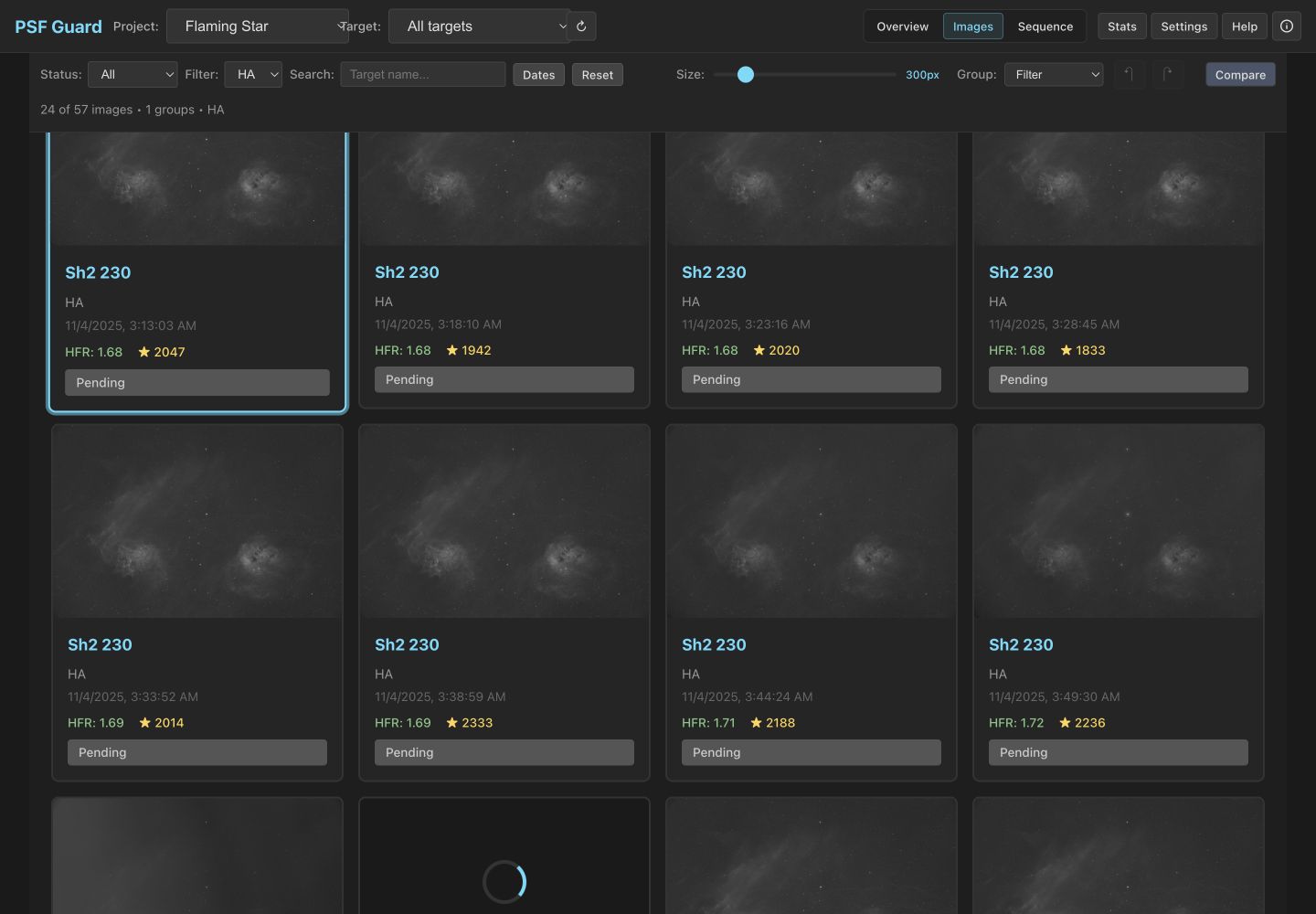
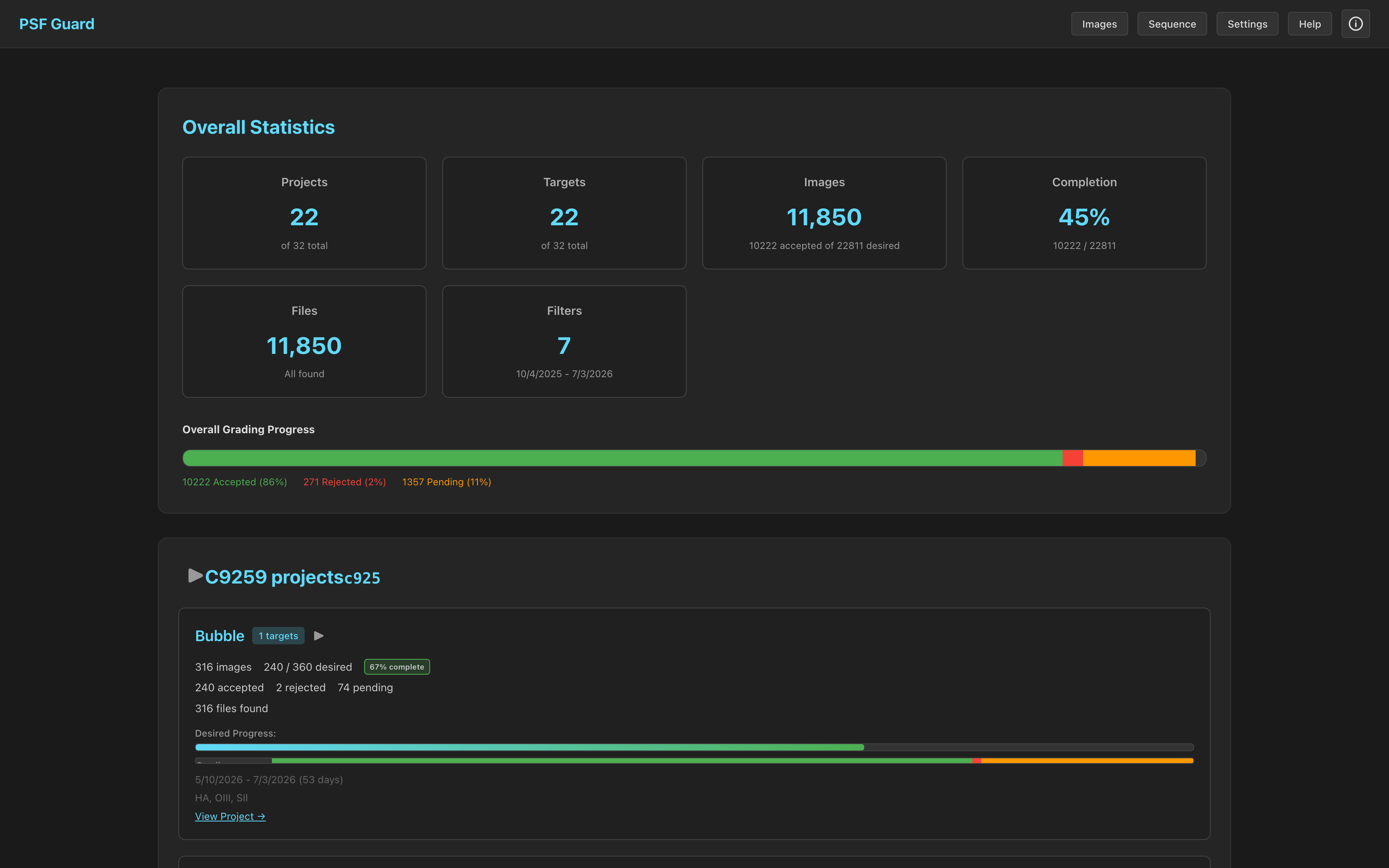
PSF Guard desktop grid showing real Flaming Star H-alpha frames
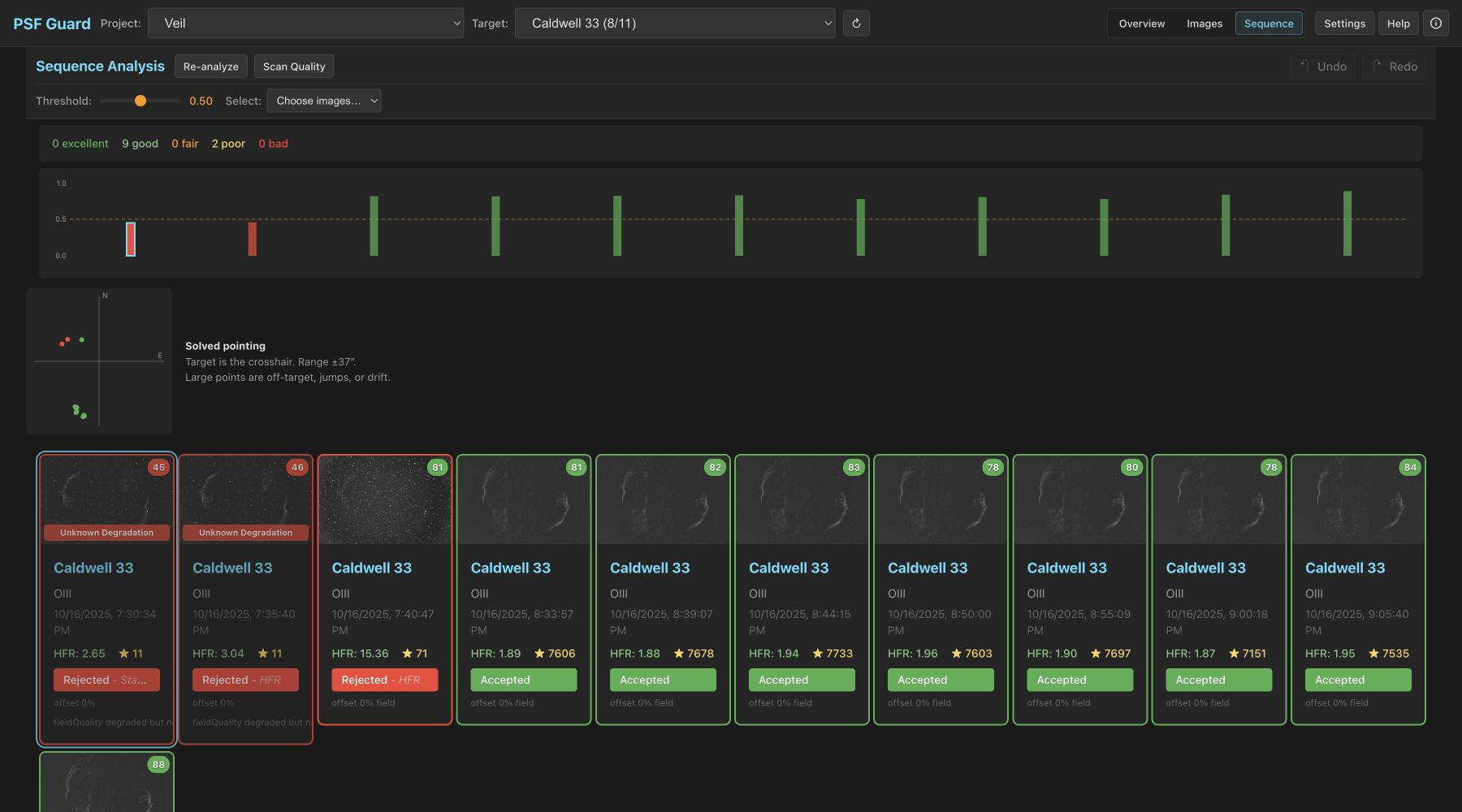
The cleaned grading grid with real Flaming Star H-alpha frames: stable controls, arrow-key review, and batch selection.
PSF Guard works like Lightroom Classic, but for astrophotography data. It catalogs files in place instead of moving them into a managed library. It reads FITS metadata and stores its image map, plans, and grades in a catalog based on the Target Scheduler database structure. Target Scheduler integration is optional.

More from us: seiza.fyi — live plate solving in your browser, plus desktop apps for FITS browsing. Want live notifications while you image? Chatstronomy watches your N.I.N.A. rigs and posts captures, autofocus results, and status to Discord or Matrix.

Traditional metrics like star count and HFR can miss low-quality frames. In a test session, a tree line blocking the field left star counts within normal variation, and the HFR remained flat until the frame was more than 60% occluded. A thin cloud veil reduced star brightness by 37%, but the frame was still accepted by conventional grading. PSF Guard uses local, photometric, and temporal statistics calibrated on real sessions to detect these issues.

Your astrophotography image catalog

🗃️

Organize every frame

Build a catalog from FITS folders or open an existing Target Scheduler database. Browse by target, session, filter, date, and grade while the source files stay in place.

🖼️

Fast visual grader

You can use the same grader user interface in the desktop app or any web browser. It provides auto-stretched previews, synchronized side-by-side comparison zoom and pan, batch operations, keyboard shortcuts, and full undo/redo support.

☁️

Automatic quality screening

PSF Guard uses spatial metrics, cross-frame photometry, and plate-solving to detect occlusion, clouds, thin veils, errant light, off-target pointing, and tracking loss. The system provides the specific analysis and evidence for every grade.

🌌

Sky context & plate solving

The application displays expected catalog objects from coordinate metadata, solves image pixels on demand using the Seiza engine, and overlays object labels, outlines, an RA/Dec grid, and the measured center offset.

🔬

Live stack previews

You can register and stack the accepted frames for each channel, then combine them into LRGB or narrowband (SHO, HOO, Foraxx) color previews. The preview tool includes background extraction, optional deconvolution, and linear FITS download features.

🔁

Optional scheduler link

You can open a Target Scheduler database directly or synchronize state with a separate telescope computer. Recording your grades keeps the scheduler's acquired-image count accurate so it can replace rejected frames.

📥

Catalog & plan

You can build a catalog from FITS folders. The application reads image headers to organize projects, coordinates, and plans, then processes the pixel quality data in the background.

🗂️

Safe reject archival

The application moves rejected frames and their sidecar files out of the directory tree used by your stacking software. This process is documented, idempotent, and reversible, ensuring that restoring files never overwrites existing data.

🔭

Two-machine workflows

You can synchronize projects, captured images, and grades between the telescope database and your local grading machine. This allows you to pull recent data, grade the frames locally, and push the results back.

Star detection & PSF analysis

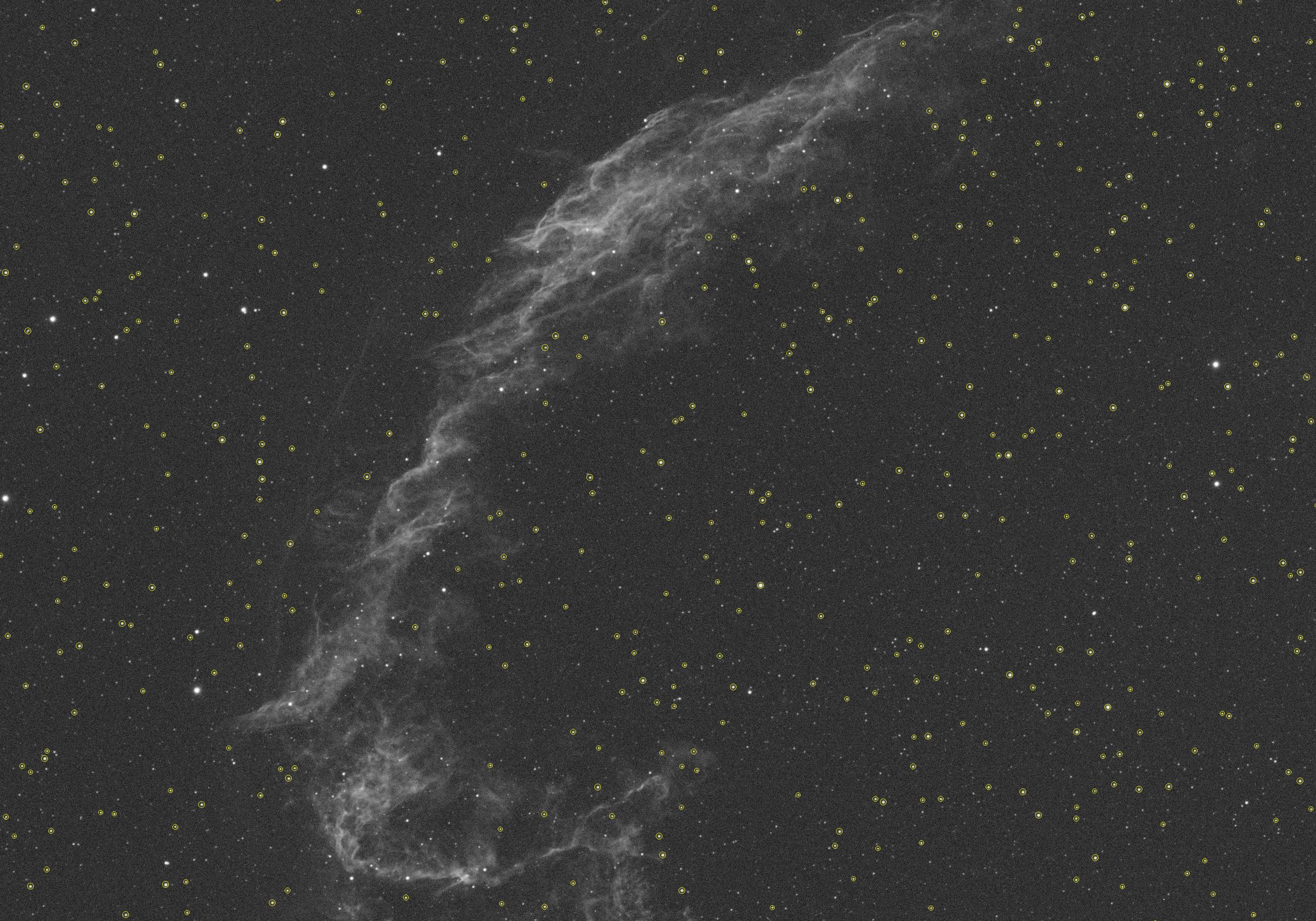
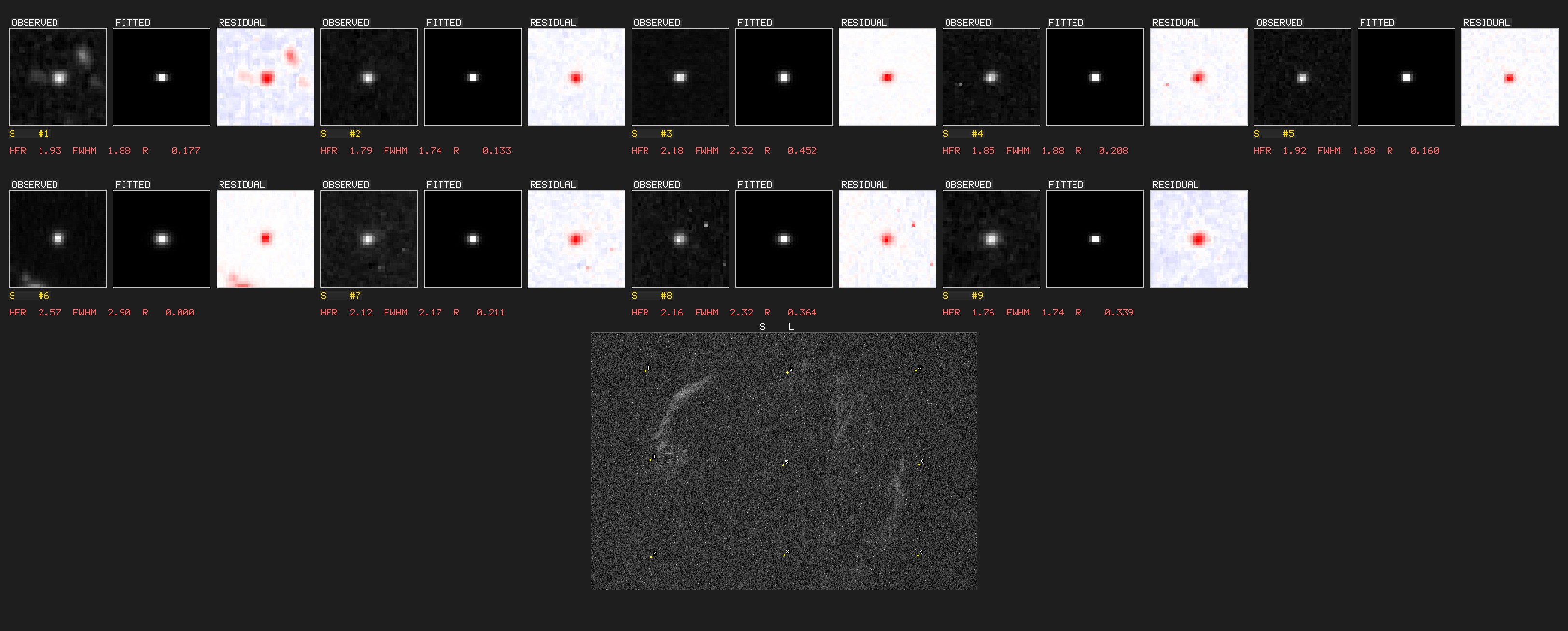
The software includes star detectors ported from N.I.N.A. and HocusFocus, which feature Gaussian and Moffat PSF fitting, annotated star maps, and residual visualizations.

Know where every frame landed

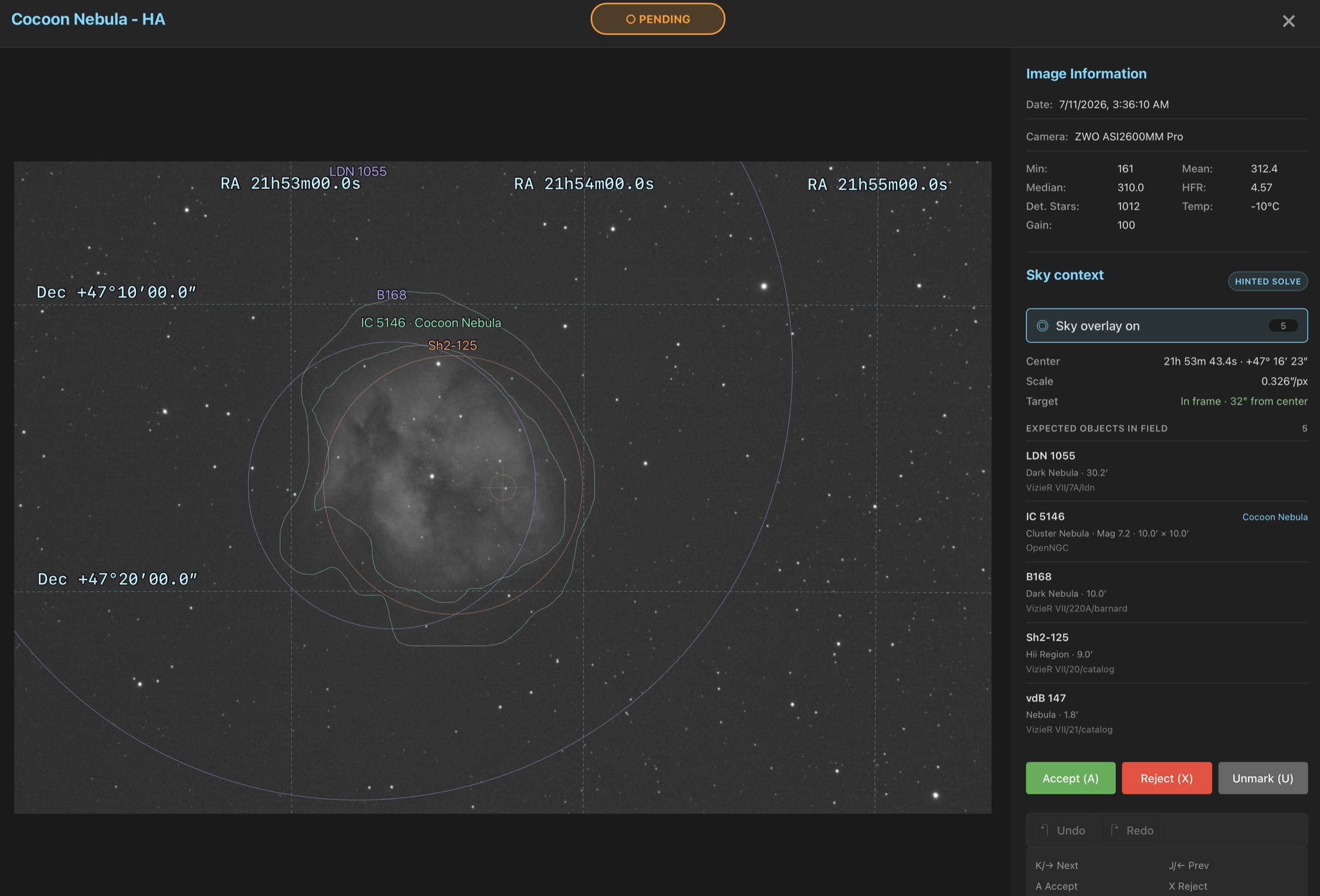
Image headers provide immediate coordinate context. If a frame lacks embedded WCS data, selecting Solve field or pressing O triggers a fast hinted plate solve. The system can fall back to a local blind index if installed, caches the solution, and displays the shared Seiza overlay.

A Seiza-solved Cocoon Nebula frame with coordinate grid, catalog labels, object outlines, and target offset
The system displays catalog labels, object outlines, an RA/Dec grid, the solved pixel scale, and the measured offset from the target center.

Set up catalogs and plate solving →

Quality screening beyond global metrics

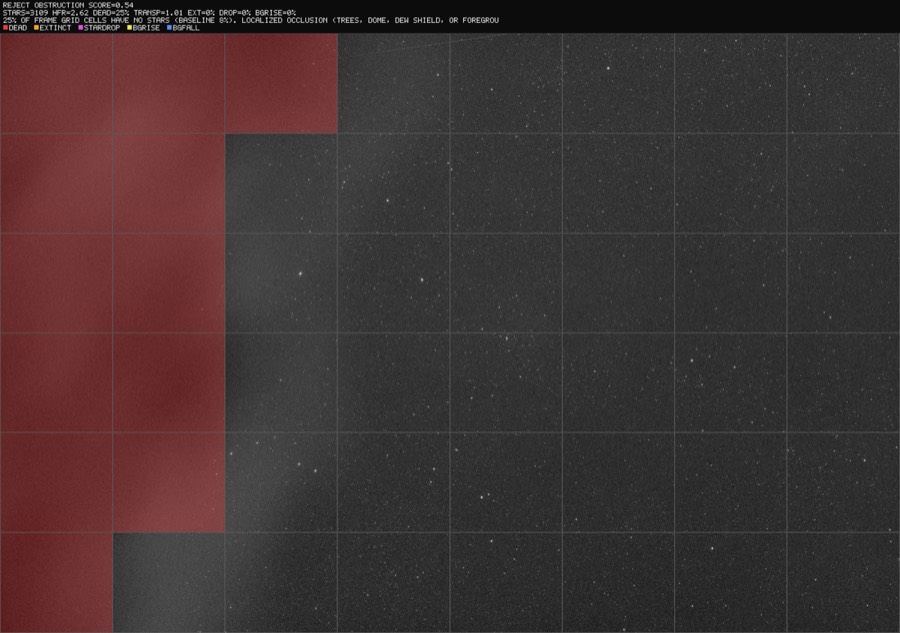
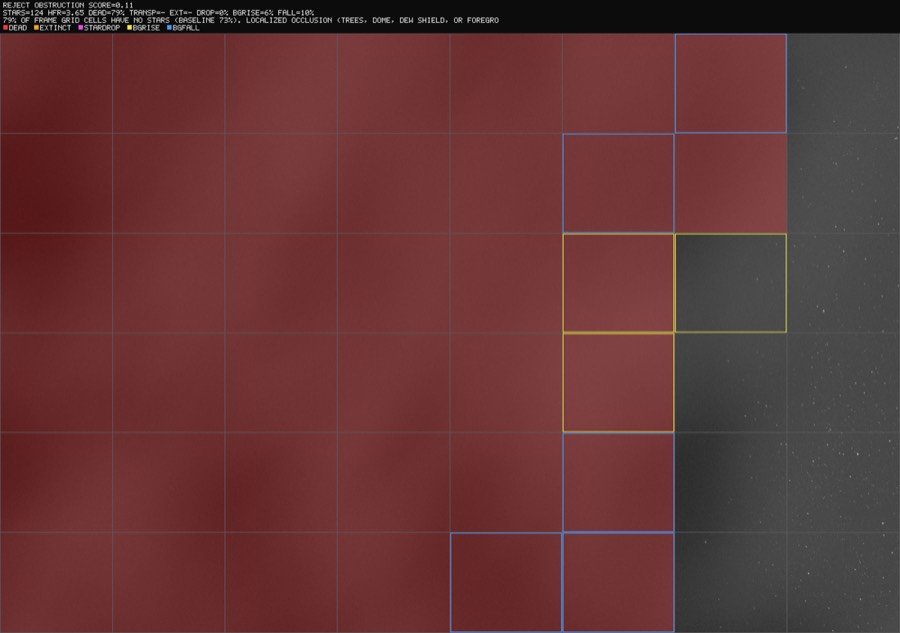
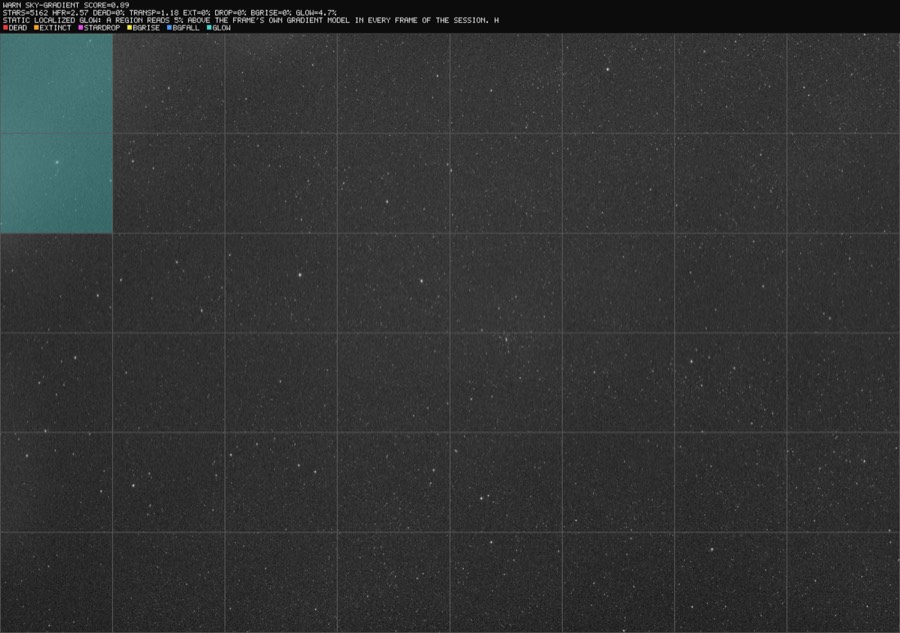
You can view flagged frames as annotated diagnostics. The application overlays the analysis grid on the image, highlights the cells where quality thresholds were breached, and provides the specific verdict and metrics in the caption to explain why the frame was flagged.

Annotated diagnostic showing occlusion arriving: red cells trace a tree line
The diagnostic detects the onset of occlusion by tracing the tree line in red. The transparency of the remaining unoccluded field is 1.01, which causes conventional global metrics to miss the issue.
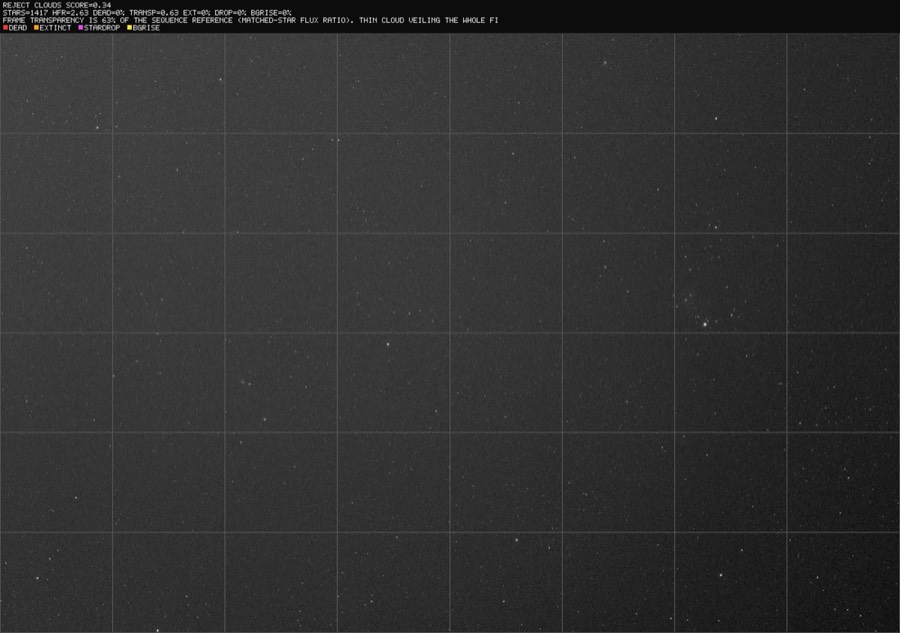
Annotated diagnostic of a thin cloud veil detected photometrically
The diagnostic detects a thin cloud veil. While no local structures are blocked, matched-star photometry measures a transparency of 0.63, or approximately 0.5 magnitudes of extinction.
Advancing occluder frontier: blue cells darker than history, yellow lit fringe
The diagnostic highlights an advancing occluding object. Blue cells indicate regions that are darker than the historical baseline due to blocked skyglow, while yellow cells mark the lit edge.
Static corner glow detected against the frame's own gradient model
The diagnostic detects a static corner glow that was present from the first frame. This issue is caught by analyzing the frame's own gradient model rather than comparing it to a temporal baseline.

How screening works →

Preview stacks inside the grader

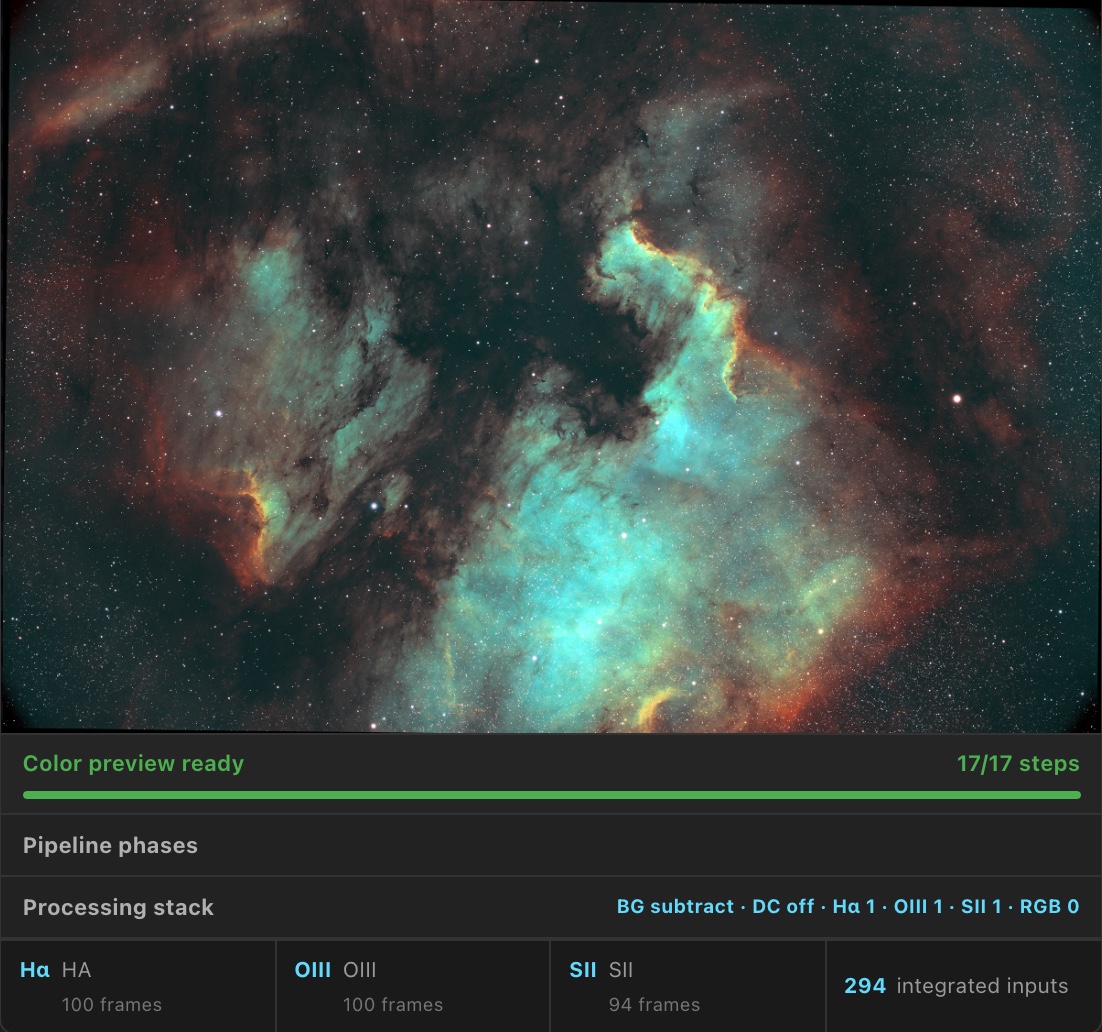
You can generate live-stack previews of your accepted frames directly in the grader. The application stacks cached channels into LRGB or narrowband color images using Seiza background extraction, custom stretch options, and optional deconvolution. Once verified, you can export the accepted light frames into folders structured for PixInsight WBPP, download them as a ZIP archive, or generate local hard links.

Real Gulf of Mexico (NGC 7000) Foraxx SHO preview built from PSF Guard channel stacks
This Foraxx SHO quick-look image was built from six accepted narrowband channel stacks. You can adjust and recombine color palettes without restarting the integration.

Stack previews → Export for stacking →

A quick tour

Supported installation methods

PSF Guard is available as a desktop app, Docker container, standalone binary, or Fedora RPM to support different environments.

🖥️ Desktop app

The application has native installers for Windows, macOS (Apple Silicon), and Linux (Debian packages or AppImage).

Download the latest release →

🐳 Docker

You can run the application in Docker on NAS devices or home servers. The catalog directory mount must be writable to save grades and plans.

docker run -d -p 3000:3000 \
  -v /path/to/catalog.sqlite:/data/database.sqlite \
  -v /path/to/images:/images:ro \
  ghcr.io/theatrus/psf-guard:latest

⌨️ Standalone CLI

The standalone command-line binary runs on servers or within automated scripts, allowing you to screen entire imaging sessions in a single command.

psf-guard screen-fits ./LIGHT --annotate ./diag
psf-guard server catalog.sqlite ./images

Downloads & platform notes →

📦 Fedora RPM

Prebuilt RPM packages are available for Fedora, and they include a systemd service unit to run the grader as a background daemon.

sudo dnf install ./psf-guard-*.x86_64.rpm
Important: Back up your Target Scheduler database before opening it in PSF Guard for the first time. The application writes grades directly to the database, and the synchronization tool copies state between database files. You can preview all import and sync operations before applying them.

More projects from theatr.us